

KURSK
Game Design and Development
Year Created: 2026
Software: Unreal Engine 5
KURSK is a round based 2v2 tank shooter arcade game that utilizes communication between teammates to outmaneuver the opponent and blow them to shreds
Project Inception
January 21st 2026
KURSK was a project a few friends and I came up with while out at The Emporium, a barcade in San Francisco. We had an absolute blast playing BumbleBear's Killer Queen. After playing, we all sort of looked around at each other and realized we had a whole development team right there. A designer, programmer, 2D and 3D art, as well as a VFX artist. After a discussion that lasted around a half hour, KURSK was born.
We knew that for our game to be successful as an arcade machine it would need to have special aspects to it beyond a typical PC video game. Our core ideas to accomplish this were simple; communication and cooperation between teammates, unique immersive controls, and combat that tied it together.
Our control scheme layout was going to have the Driver using two levers, one for each tread. Both forward, move forward, both back, move backward, both opposite, start turning. The Gunner would have a crank wheel as well as a button. The crank would rotate the cannon and the button to fire.
Some Lego concepts I made of what would become our "CityBlock" Level


The Team
Project Lead/Game Design/Level Design/VFX - Devyn Brock
3D & 2D art - Joey Sanchez
Programming - Gavin Brandenburger
VFX - Alex Negrete
Concept art - Colten Muheim
Sound Design - Guillermo De Anda
3D art - Josh
It was never officially decided that I would be team lead but everything comes through me and I have generally had final say on how something looks, works, and plays. It's difficult to pinpoint exactly what I have done on the project overall as I have had my hand in at least some part of all of it.
Start of Development
January 22nd 2026
Development for KURSK started quick with a large burst of progress. I began work on the project the morning after coming up with the idea.
Immediately the first thing I wanted to nail down was the tank feel. Within an hour I had a base prototype of how the tank would work. For testing I used W&S for left tread and Up&Down arrow for right tread.
After 3 days of development including further conversations narrowing in on the backend, look and feel of the game I had made a more complete prototype.
Tasks for Start of Development
Notes
At the start of the project we were figuring everything out as we went. We had decided to make a complicated project and had to see if we could solve some of the initial problems before continuing.
Task | Hours |
|---|---|
Tank can move | 1 |
Tank has friend? | 1 |
Theres a bullet, its networked | 1 |
More networking, tank can shoot | 2 |
Implement Tank model | 1 |
boost powerup | 1 |
tank shooting | 2 |
treads move based on input | 3 |
Tread wheels now have depth and rotate based on movement | 1 |
Wheels replicate | 0.5 |
Slowed tank rotation speed | 0.5 |
Level1 map tests | 1 |
Moved tank camera | 0.5 |
Addition of cannon | 1 |
window guns | 1 |
ambient bullets niagara | 0.5 |
Added post process | 2 |
Ash niagara | 0.5 |
Ok this is a real project now
January 30th 2026
The look of KURSK had yet to be totally decided or visualized. We did however know we wanted it to be retro classic arcade.
I made some tests of a pixelating retro post process material (thanks youtube) to show to the team and get oppinions


We agreed it was something to work with but definitely not the final look

There were also some more demonic variations that may not be useable but I still think are cool
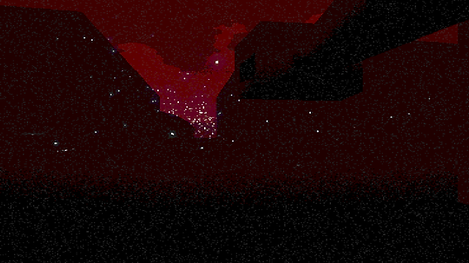
This is probably my favorite screenshot of the game so far. I definitely find it inspiring to have some general cool visuals of the game.

I sort of just looked at this scene for 10 or so minutes after creating it on accident. Its not part of the game, but I'd like to find an elegant way to include it. Could make a nice credits background

This was my progress on the prototype after 10 days. I had made everything here besides the tank model to this point. It wasn't perfect, but it was a start we could all work with.
Tasks for Real Project
Notes
Development has been tough recently due to me having to do the design and programmer roles. Gavin, our programmer hasn't had time to work on this recently and as such I've been having to keep the game alive by making sure it will even work at all
Task | Hours |
|---|---|
Start of Field level | 1 |
Start of Broken city level | 1 |
Implementing and testing 2 player | 2 |
explosion effect | 1 |
breakable fence | 3 |
landscape material | 3 |
Gun vert rotation | 0.5 |
City level updates | 2 |
Added chaos plugins with initial test assets | 4 |
More unsuccessful tests on chaos tank | 5 |
Multiplayer tests | 2 |
Tank multiplayer movement working | 1 |
Multiplayer controls | 2 |
Start of menu screen, tank tuneup | 1 |
Menu screen idle video | 2 |
4 Controllers working randomly | 0 |
Added opacity to effect niagara master material | 0.5 |
Build works | 0 |
Start of forest map | 1 |
From Prototype to Game
The process of turning KURSK into a game was long, daunting, and arduous. Our major problem was solving the issue of local multiplayer. Typically this wouldn't be the most complicated thing to do in Unreal, but we just had to go and overcomplicate it with our idea.

March 1st 2026

KURSK, being a 2v2 arcade game, was going to have some special circumstances around how we would have the players interact with their character, and how it would be displayed on screen
Since there would be two players per tank, one driver controlling the treads, and one gunner controlling the turret, we needed to find a way to have two cameras following one tank while also giving that tank input from two players.


We went through many iterations of this over the course of about two months. The game couldn't really progress without us figuring out this problem.
Things we tried -
-
Two cameras on the tank blueprint
-
NDisplay to get different camera views
-
Spawning empty players and setting the blueprint after
-
Spawning two tanks and two turrets and attaching them after
None of these even remotely worked for what we wanted. We were stuck for a week or two. We were so close to just canning the project and moving on. Along with project issues I had also been dealing with cancer treatment which was draining my motivation quite heavily. We all knew it was a bold idea from the start.


Then finally I had the idea of spawning four blank players with nothing but a camera, then attaching them in the proper spot to two tanks already placed in the level. We'd give them the correct roles and references to send input from them directly to the tank they were in. Essentially we switched from the players being the tank to the players being passengers in the tank.
This worked! It was such a fantastic feeling when we finally figured it out. We could play the game! For the first time we could have a real match with four plays. That being said, because of all the systems issues the game was pretty bare and certainly not very fun. But this lit us up with the ambition and passion we had at the start of the project and catapulted our progress forward.

Tasks for Prototype to Game
Notes
Development has been tough recently due to me having to do the design and programmer roles. Gavin, our programmer hasn't had time to work on this recently and as such I've been having to keep the game alive by making sure it will even work at all
Task | Hours |
|---|---|
Multiplayer | 13 |
Tuning Player | 1.5 |
Fixing Maps | 1 |
Making Idle Screen | 3 |
Random Map Selection | 1 |
VFX Implementation | 1 |
Playtesting | 1 |
Let's Make This Awesome
March 29th 2026

Through the difficult multiplayer process I had been tweaking the maps and post process material keeping things moving for the possibility the game would continue. And I definitely needed breaks from slamming my head into the problem. With that being said, this is a cool image. Unfortunately, it was only a cool image. Turning at all basically ruined it and everything was bland. It was all grey, the buildings were level, and the lighting sucked. You couldn't get lost only because you never knew where you were.

Of course just as we had been set into go mode with the project GDC 2026 began. As our whole team lived in SF we all were attending and progress on the project would be stalled for the week. While there we attended all the talks we could relating to KURSK. One such talk was given by Bumblebear. We were all extremely excited for this talk. It was a fantastic talk that generated ideas for us as well as detailed the real process of building an arcade machine from concept to finish. Luckily for us, there were not many people in that talk which meant we essentially had direct access to them for questions after. They held a Q&A at the front of the room where we bombarded them with all the questions we could think of while they showed off their tech for new and old games they've made.
A big thing missing from the game was VFX and SFX. So I sent them each a ping on discord. Our VFX artist had his ssd crash during this phase of development which set him back but he quickly recovered and sent over these three assets; muzzle flash, on hit explosion, and volumetric fire.

The 29th of March was the deadline for our schools art show submissions where we planned on showing KURSK. Today was that day.
One massive effect for the game was going to be the tank death. Our head tank nerd said from day one we would need to have an awesome tank "cook off" in the game. I knew it had to be in for the submission.
It took around 2 hours or so of collaborating with my VFX artist to get the cook off assets as well as edit them afterwards but we managed to make something pretty damn cool. It will be tweaked further through development but for now this is what we needed
While in between being able to work on VFX, talking to my sound guy, and talking with my 2D guy I also added screen shake to the game both while driving and an increased amount when getting hit.


Within a day of pinging our sound designer he hit me back with a library of assets ready to be put ingame. It was right when I went to put them in engine that I realized we had another issue with multiplayer. This game was to be played from one PC but sent to two separate screens with different speaker outputs. I have no clue how to make separate listeners play to different outputs. After some quick research on if it was going to be easy, I found out it would not be. Uh oh. It looks as though some amount of Wwise will have to be used.
As of now I just had to get these assets in the project in order to send accurate feedback to our sound guy to make sure he isn't road blocked and solve the issue of outputs later
Feedback:
Notes on this one - Overall, fantastic
The tank taking damage/hitting a tank is super sharp and high pitched. I like the wall impact one, maybe we can make it similar with a slight metal hit to it rather than the bricks crumbling?
For this one I like the movement sounds of tank going back/forth/idle.
The scraping noise when turning the turret is a bit much. I realize I didn't put the start and stop sounds in but I think it wasn't working either way. We're thinking more of a humming/ticking noise could work better. The start of this video is great https://www.youtube.com/watch?v=QhA51aL6euQ
So after about 2 long days of catching up to where our project should have been in terms of visuals, we ended up with awesome audio and a map looking like this:


Its still no where near done, but we have it at an amazing point that people have fun playing. Next big playtest will be next Thursday where I will get some footage of people playing.

Tasks for making it awesome
Notes:
Got effects from Alex, have to edit and/or bugfix most of them for specific use cases
Default tank health in a health component, had to ask Gavin where that was
Have to collect everyones info for spring show submission
Contact Guillermo for audio
Implement sparks that come off tank based off health as the indicator for the player
Implement cook off effect when a tank dies
Implement ambient screen shake
Implement getting hit by shell screen shake
Unreal crashed
Meeting with Alex
Alex worked on assets that I will have to tweak
Finding Audio
Failed at finding audio
Adjusted fire colors
Added a larger fire size
Added fire to cityblock level
Helped Alex work with Unreal Blueprints
Editing Audio in audacity
My audacity is playing through my speakers instead of headset
Making Spring show submission media
Asked artists for icon, they pointed me to it, it was improper dimensions, I fixed it
Made a damn good version of the cook off (tank dying)
Talked to Joey about needed art assets, cook off, and other effects
Made a larger explosion effect
Finished cook off sequence
Captured and edited 3 GIFS
Made/adjusted multiple effects for cook off
Bolstered the shell explosion vfx
Collaboarated with Joey to make game video
Finished submission for spring show, submitted at 11:59
4/1
Got audio from Guillermo
Researching audio submixing in ue5 to send audio to different outputs
Wwise?
Ue5 Submixing?
Added the audio from Guillermo to see how it fits ingame to give feedback sooner than later as the research needed for split audio outputs may take some time
Multiple playtest sessions
Fixed issue with fire plane having collisions
Added UI test
Implemented grass, city floor, rubble, and brick textures
Task Tracking didn't happen during this part. Everything was done with very short amounts of time between each other and most of it was done very quickly.
Time For Real Sprints:
Sprint 1
Week of April 3rd 2026
This week was defined by the fact that on the first day our schools game department design lead invited us to show our game in a playtest at our school one week from then. From the small tests we've done previously I knew there were four things that definitely needed to be completed before then:
-
Controls Tutorial
-
Feedback form
-
Round System
-
Easy way of figuring out which controller is which
One issue I saw occurring was that players had a difficult time getting into the game, as well as a difficult time deciding when to stop. A lot of the goal of these systems will be to smooth the new player experience and provide a good point to stop at and reflect on the game with the people you just played with.
Controls
The controls tutorial is a problem I hadn't yet considered for our game as I was operating on the basis that it will be an arcade game. The controls should be super obvious to figure out within a few seconds when it's in the cabinet. Of course it's not yet, and we need playtesting. So for now the sheet on the right will do.

Feedback Form
Next up is the feedback form. Easy enough to make. Just had to be done.
Questions on first form:
-
How did driving the tank feel?
-
How did Shooting the tank feel?
-
If you played both, which of driving or gunning did you like more?
-
Did you have fun?
-
How long did it take to understand the objective?
-
Did you get lost in the maps?
-
Which was your favorite map?
-
Did you feel you were able to implement tactics and strategies to your gameplay?
-
Did you feel the need to communicate with your teammate?
-
Would you recommend this to a friend?
-
What was your favorite part/moment?
-
What did you find least fun about the game?
-
How would you describe the game?
-
Any additional response
Rounds System
The rounds system was one thing I wasn't sure if we were going to have by our main deadline of May. After seeing people play in some initial tests I decided it would be very worth to have completed for that and for this playtest.
For one night I had attempted to put the system together but ultimately failed. I had gotten this code right and I knew it would be the key to checking when the rest was setup but getting the actual list randomized was difficult. There were many times I wished that there was a "randomize array" node and definitely times I searched that phrase in the node search as well as google just in case.


After giving it a rest for the night I came back a day or so later to retry my hand at randomization. After some decent alternative attempts and sorting out exact logic, I came upon this solution.

This system loops back through itself until the check above shows all items are different. It works like a charm. It only has to loop through itself about 10 times normally. Once the branch turns true it filters into the script below.

All that was left was to hook it up to the other systems of the game and we were set with a round system.
Controller Placement
This was another easy but necessary thing for the playtest. KURSK in its current state is four player splitscreen. Each player has a quadrant of the screen. I had noticed people understandably struggling to figure out which screen they were playing. Again, since this problem wouldn't exist in the final version of the game, I hadn't considered it before seeing this happen. So for now I made a sheet for players to pick up controllers from, read their role, and put back when they're done.

Breakables
If you're making a game with tanks, or any kind of big explosion, there has to be breakables. I didn't make the rules, but I will follow them. This is the second iteration of breakables. Before it was inconsistent and really just a promise that they would be in the game at some point. They are 100% consistent now and react fairly well to being shot. The main issue is a collision issue when running into them but not too bad.
Joey's Progress
The other amazing progress seen in the progress was made by our artist Joey. He had been talking about getting in engine for some time and finally committed to doing it. I had been struggling with the look of the field level as I didn't have a great vision of it in my head. I offered to teach him key parts of the engine. He learned quickly, and any questions he had he asked promptly. We went over the landscape system both deforming and painting, the material system, how to make new actors, and how to import and use textures. Armed with that knowledge he did this:
Before


After


Tasks For Sprint 1
Notes:
Having an issue with breakables. For some reason they break when shot at some angles
but not others. Adjusting mass of tank shell and the breakable itself have some effect on it but
nothing seems to make it consistent so far. Attempting to use blueprint to break and launch
it manually next.
Implementing art from Joey into Field Level
Implementing audio from Guillermo for tank death and turret rotation
Made level smoke vfx
Made tank smoke vfx and added to camera + scales with damage taken
Teaching Joey how to use unreal landscape, foliage, and materials (hes a quick learner)
Starting to work on rounds system
Joey did a massive overhaul of the field level
Implemented exploded tank texture
Completed round system
Created feedback form
Task | Hours |
|---|---|
Made feedback form | 0.5 |
Winner becomes immune | 1 |
Round System | 1 |
Implemented exploded tank texture | 0.5 |
Teaching Joey | 0.5 |
Made/Implemented Tank Smoke effect | 1 |
Made/Implemented Level Smoke effect | 0.5 |
Implemented audio | 3 |
Implementing 3D models | 0 |
Rubble Painting | 1 |
Breakables | 3 |
First major playtest
The playtest was Thursday April 9th. Joey and I worked on getting the game updated with some final touches before the test started at 4:30. Two of the major changes we made was getting the second tank model implemented, and making it work as horizontal split screen across two monitors.


For most of the day we were fixing some random small stuff. About an hour before the playtest started we had decided we were going to implement the second tank. Unfortunately the model for it currently in the project wasn't the right scale, had the wrong pivot direction, and the material didn't import properly. After fixing it up we were able to get it in only slightly after the official start time for the playtest. (tread textures coming soon)
The playtest went super well! People understand and were having fun playing the game. Some general consensuses:
-
Driving was alright but needs improvement
-
More chances for smart cover
-
-
Gunning was fun and felt good
-
More random stuff to shoot at
-
Encourage players to shoot random stuff
-
-
Gunner is more fun
-
Everyone who responded to the form had fun
-
People quickly understood the objective
-
The maps are fun to get lost in, as long as it's not too much
-
There was an almost equal spread of favorite maps
-
People were not able to implement strategies
-
People generally felt the need to communicate with their teammate

-
Most fun moments
-
Shooting and killing the enemy
-
Finding my enemy when they couldn't see us.
-
When enemy is in the sight of the driver but shooter.
-
Killing the other tank feels incresibly rewarding
-
I’ve never used controls like this before and my stumbling to navigate was very funny
-
-
Least fun moments
-
For not PS player it's hard to drive with it
-
Not being able to see the enemy in dark parts of the map.
-
Can't clearly figure out if I'm shooting correctly.
-
Driving is clunky and feels less active than shooting
-
It can feel a little aimless when we I cant find the enemy team
-
Sprint 2
Week of April 10th 2026
People liked the forest map a lot despite it being the least worked on. I've also found the gameplay to be my favorite due to the weaving in and out of trees. This weaving created engaging gameplay for both the driver and gunner. The driver could go in and out of cover timing their movement with theirs and the other tanks shot cooldown while the Gunner found intricate angles to hit the other tank through often predicting gaps where the other tank may show up in next.

The map needed to be updated for the next time we tested it. Since the map was already super dark and we wanted to keep that feel I suggested putting headlights on the tank. This turned out to look pretty cool. It wasn't the perfect idea though.


I talked to Joey to get his thoughts on this idea. We both came to an idea at the same time. Turn off the sun/moonlighting. All lighting in this level would come from a source in the map. This could be fire, the tank itself, explosions, and the pinnacle of the idea, flares.


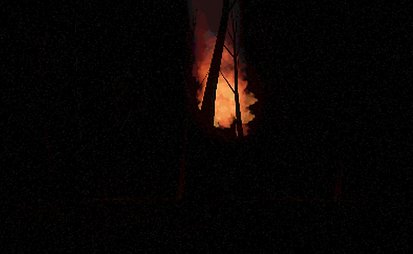
The flare would be launched from the side of the map towards a random place near the middle. It would fly over the map until it started to fall, then "deploying its parachute" to slow fall down to the ground. After 20 seconds it starts to fade out until the map goes completely dark. It would stay dark for 3-5 seconds before another flare was launched into the air bringing light back to the map. Of course soon their will be other elements implemented to the level providing some amounts of light so it isn't completely disorienting for the player. This new flare system will also add something I've been looking for in this game; a way to fight the enemy, lose them for a moment, and reengage after a short period of time that could be used for repositioning.
Flares working, not quite done but only polish left
Another idea I had was to add light to the shells. This turned out amazingly!
Next level light element is...
FIRE!!!
I created some smaller versions of the fire used in the other levels to add to the trees of the Forest.


Likely final look of the flare. Also with talking to Joey we decided that although we can have the main map area be illuminated with only sources from the map itself, the outer edges of the map do look cool with some light source on the horizon.


Another bit of polish for this week is the shell impact explosion having different variations for different surfaces. The current one works for metal surfaces. The new one seen in the video to the right is the new stone impact. Next I will create the wood impact.
Tasks For Sprint 2
Notes:
Fixed two issues with the t34 implementation
-
Wheels wrong mesh
-
Tread not getting textured
Talked with Joey about Forest map
Putting headlights on the tank
Started flare
Worked on arch
Worked on slow falling
Worked on light level
Worked on flickering
Worked on fade out
Gave shells a small point light
Flare sprite flickering
Added sunset and moon on opposite sides of the map
Fixed T34 gun popping off still as Tiger gun
Added light to shell explosion
Removed one corner path building on cityblock map
Reduced brightness of elements in forest level so flare is now the brightest
Started on a post process that better suits the forest
Fixed prop dead tank collision
Added wall impact decal
Added a fade out to shell explosion light
Created stone impact explosion effect
Task | Hours |
|---|---|
Captured screen shots for spring show | 0.5 |
Added Stone impact explosion effect | 1 |
Added tank impact decal | 0.5 |
Fixed prop dead tank collision | 0.5 |
Added wall impact decal | 0.5 |
Started post process that better suits forest | 0.5 |
Reduced brightness of Forest map elements | 0.5 |
Removed one middle building with corner pathway from cityblock level | 0 |
Added light to shell explosion | 0.5 |
Fixed t34 Gunner death | 0.5 |
Forest Sunset and Moon | 1 |
Flare sprite | 1.5 |
Shell point light | 0.5 |
Flare fade out | 0.5 |
Flare flickering | 1.5 |
Flare brightness | 0 |
Flare Arch | 1 |
Flare initial | 0.5 |
Tank headlights | 0 |
Planned with Joey about Forest look | 2 |
Fixed t34 | 1 |
Sprint 3
Week of April 17th 2026
Continuing the polish at the end of the last sprint. The hit decals are looking good but could use another effect. Once there's many shots in the tank it becomes difficult to tell if there's a new one there. To fix this I added a system the makes the impact site glow for 2 seconds after being shot before fading out.
Joey provided me with an idea for the shots to interweave between the text for the trailer. I went into the project and used the sequencer to move the tanks.
{The burning city top shot}
{shot of blown up Tiger in city}
{line of T34's rolling through city, i'm going to put red stars on the tank so it's more obvious who they are}
{tiger rolling through forest map low front shot}
{line of T34's in woodline on field map}
{line of tigers in field}
{tiger driver shot cresting field into field map}
{t34 gunner lining up shot on tiger}
{final exploding shot like from last trailer}
Through making the video I realized I had the tanks backwards. I thought the Russian one was the German one and vice versa. Luckily that was an easy fix.
While putting in invisible barriers around the edges of each map I realized the treeline on the forest map was skewed so the German side had a lot more room to work with on their left side. It wasn't game breaking or anything but looked a bit awkward so I decided to tighten that up.
Audio - music
Windows fixed
Level start seq
Killcam seq
Fix player taking control of wrong tank at start of round
Tasks For Sprint 3
Notes:
Fixed treeline around Forest level
Fixed random collision issues on all maps
Making trailer
First couple shots were easy - no movement
First shot with movement - Have to disable gravity or else tank bugs out with sequencer
Swap spawn points for tanks in field map
Recorded -
Edited clips together, timing with music
About 6 hours on trailer
Task | Hours |
|---|---|
Hit impact glow | 1.5 |
Map adjustments | 0.5 |
Collision issues | 1 |
Trailer | 6 |
Sprint 4
Week of April 24th 2026
This will be the final big push for features to show off in the Academy of Art Spring Show 2026.
The most obvious issue with the game is that after you launch the build you have to manually drag the window across two screens in order for it to work on two monitors. This is technically working but has the issues of
-
Round UI stuck in middle of screen between monitors
-
Cinematics will be stretched across two monitors
-
Manual setup will not work at scale as an arcade game
-
Unable to full screen causing borders to show on tops and bottom of screen
-
UI must manually be scaled for each monitor resolution before build
While all of those things are issues that have to be addressed, it may not be feasible for spring show. For now we have a version that works. I will push for the better version this week but may have to fallback to what we have working now.


Gavin spent Thursday looking into how to spawn separate windows for UE5. What he came up with was using scene capture cameras on a popup window. The issue now is that although the cameras do show on a separate screen you still have to be focused on the main screen to be able to give the game input.
After getting the test version to work about 80% he then sent this message:
"I have 0 time for the rest of this week to work on kursk, so it's up to devyn and if he's able to untangle whatever he's done to add windows."
So I guess I'll figure that out now
4/29/2026. 10p
I've finally worked up whatever it takes to start fighting against both unreal engine and whatever the hell Gavin made. There's no documentation for either of them. Either this works or it doesn't, I'll let you know soon.
10:30p
First problem. This node is crashing it. The Unreal crash error cites "RuntimeWindow line 91" as the crash site.


Time to fix it I guess. Unfortunately that line looks like the most inocuous thing. I also don't know how to program or script in c++ so I'm just gonna try some stuff. Oh did I mention deadline is basically tomorrow? Cause yeah... here we go.
Using a breakpoint showed me that the Scene Captures pin was actually empty. I believe this node is getting called before it is set.

That was totally it. Minor thing, moving on. 10:50p

Ummmmm? It works? 11p

At least one popup window does, which is all I was trying for so far. The colors are a little messed up but that should be tweakable later. For now the goal is two get two popup screens, each with their respective team on them. End goal is is they auto maximize onto the correct screen, and keep focus on the main screen to keep input enabled.
At least one popup window does, which is all I was trying for so far. The colors are a little messed up but that should be tweakable later. For now the goal is two get two popup screens, each with their respective team on them. End goal is is they auto maximize onto the correct screen, and keep focus on the main screen to keep input enabled.
11:20p It really feels like it should just be able to spawn a second window. I mean I have it setup to spawn two. Yet it only spawns one. It was also crashing when trying to add the UI to the window, but only the second one. So there is some evidence of it being there. I've disabled the UI for now to see what happens after but so far no luck. I may have to find out why that would crash it in order to solve the whole problem. Will come back to that.
11:44p It seems to be that there cannot be 2 windows the way my programmer set it up. There can only be 4 windows with 1 perspective or 1 window with multiple perspectives. Both of which do not help. Going to make sure this is the case before giving up.
12:53p Messaged Gavin. We worked it out. 2 windows pop up each with their teammates on them.
Next day
Well it turns out the two window idea just wasn't going to work:
someone would have to set up the windows every round
and its laggy
and every additional ui would be a pain
and the colors are burnt out and darker
and cinematics are questionable with it
witz (one of the teachers) said to just use window spanning
Overall it was a good test but ultimately a stretched window was the right move. It's much easier to just have work. Right now, as long as you have two monitors with the same resolution, window spanning enabled, launch it, fullscreen it, it'll play.

Due to this being an arcade game, we will always have full control over those aspects of hardware

City Map intro cutscene
Field Map intro cutscene
Forest Map intro cutscene
Deathcam
Tasks For Sprint 4
Notes:
Updated round text 1hr
Looked over window test stuff 1hr
Added fonts
Added multiple windows spawning
Removed multiple windows spawning
Polished one window setup
Added intro cutscenes to maps at the start of rounds
Small playtest confirming no major bugs or mistakes
Task | Hours |
|---|---|
Small playtest | 1 |
Added intro cutscenes for each map | 2 |
Polished 1 window setup | 2 |
Removed multiple windows | 1 |
Added multiple windows to game | 5 |
Looked into gavins multi window code | 1 |
Update round counter widget | 1 |
Sprint 5 -
Spring Show deadline 2
Week of May 1st 2026
This will be the final big push for features to show off in the Academy of Art Spring Show 2026.
5/2/2026
I made a whole bunch of random small polish changes for the Spring show build
-
Fixed Textures
-
Removed smoke update due to lag
-
Made wood impact
-
Added Controls to start menu
-
Updated start menu Seq
-
Changed collision on physics turret to ignore visibility
-
Tweaked death Seq path
-
Added start game button
-
Tagged everything with their material types
-
Renamed maps to battleground cities of the battle of Kursk
Most of the stuff is already done for the show. There will be more updates after it to get it ready to put into a machine and sell to the public but for now this is a great stage in the game.
This is a full (singleplayer) gameplay of KURSK recorded on 5/3/2026
Last minute editions of rain and ambient audio
Tasks For Sprint 5
Notes:
Shortened round intro cutscenes
Fixed dead tank turret models
Created death seq for dead tank
Fixed script not realizing tank was dead
Fixed Textures
Removed smoke due to lag
Made wood impact
Added Controls to start menu
Updated start menu Seq
Changed collision on physics turret to ignore visibility
Tweaked death Seq path
Added start game button
Tagged everything with their material types
Task | Hours |
|---|---|
Hit impact glow | 1.5 |
Map adjustments | 0.5 |
Collision issues | 1 |
Trailer | 6 |